
Our support team will often request logging from your Meridian installation to help us diagnose issue. Here are instructions for enabling logging for both the Meridian services and the Meridian client.
Meridian Service
The logging can be enabled via the ActivePDF User Interface which can be opened either by the shortcut on the Windows start or run it from C:\Program Files\ActivePDF\Core\APCUI.Win.exe. Once the UI has been opened follow the below steps.
- Support Tool
- Once the UI has opened it will display the following information which will be saved to C:\Program Files\ActivePDF\SupportTools2009\Results\apstlog2009.html. Please send this file with our support team
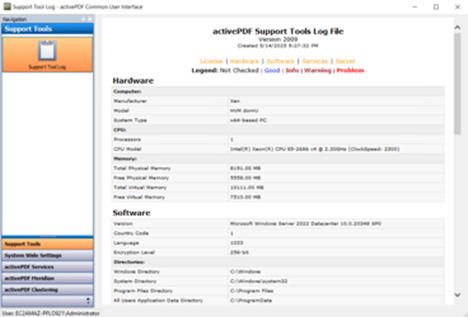
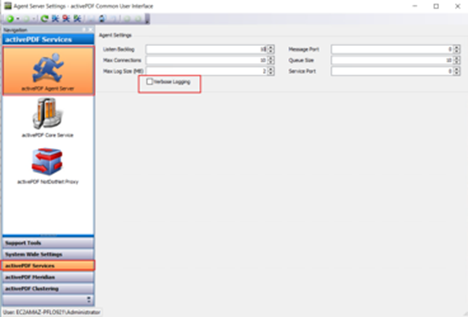
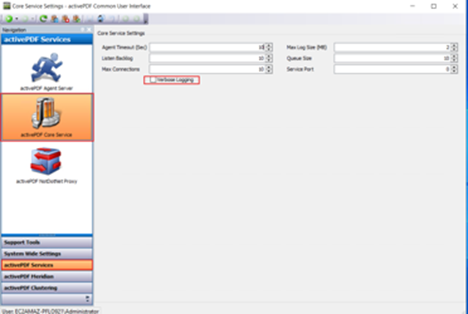
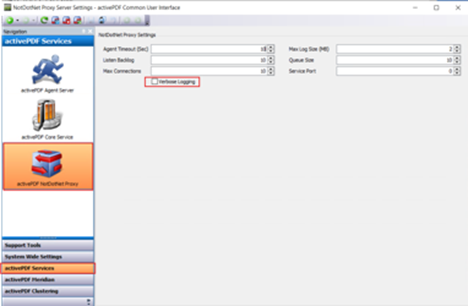
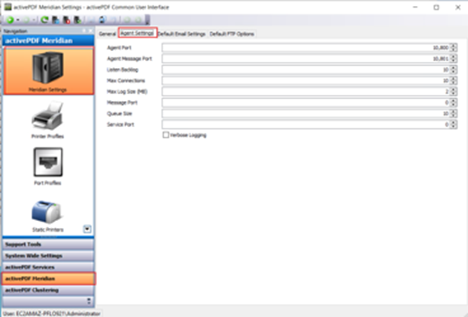
- Enabling Verbose Logging
- Each service has it's There are multiple locations to enable verbose logging, make sure all of them are enabled.
- ActivePDF Agent Server
- ActivePDF Core Service
- ActivePDF NotDotNetProxy
- Meridian Service
- Once the verbose logging has been enabled you will need to restart the services in the following order. These services can be start/stopped via their tab in the user interface as well: Meridian Quick Start Guide
- Stop the activePDF Agent Service, which also stops the activePDF First Aid service, activePDF Com service, and activePDF PostScript /Image service.
- Stop the activePDF Meridian service.
- Stop the activePDF NDN Bridge service.
- Start the activePDF Agent Service
- Start the activePDF First Aid service
- Start the activePDF Com service
- Start the activePDF PostScript /Image service
- Start the activePDF Meridian service
- Start the activePDF NDN Bridge service
Meridian Client
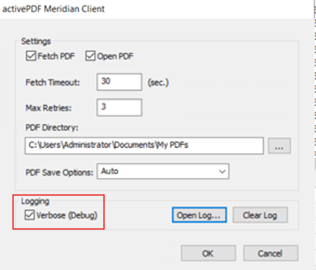
The Meridian client also has an logging options to generate log files on the client machine.
Log Files
By default, the log files for current release of Meridian log files reside in two locations.
- Meridian client log files can be found here:
- C:\Users\XXXXX\AppData\Roaming\activePDF\Logs\Meridian;where XXXXX = user name
- The Meridian server logs are located here:
- C:\Windows\activePDF\Logs